

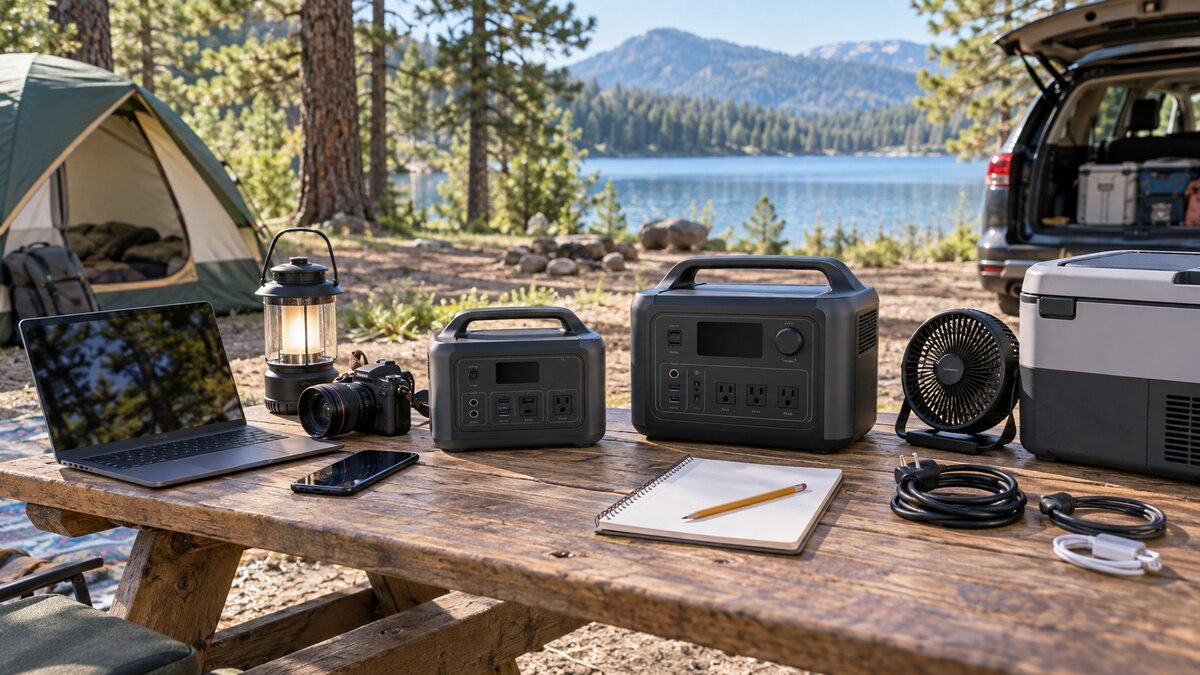
Choosing a portable power station for camping is easier when you separate three questions: how much energy your devices use, how much power they demand at once, and how far you must carry the battery. A model can have enough capacity but insufficient output, or plenty of output but too little runtime. This guide shows how to calculate your needs and choose a practical size without paying for capacity you will never use.
If you are already comparing models, see our best portable power stations for camping in 2026. Use this guide first to determine which capacity and output class belongs on your shortlist.
Understand watts and watt-hours
Watts and watt-hours describe different things. Watts (W) measure power—the rate at which an appliance uses energy. They determine whether the inverter can operate a device. Watt-hours (Wh) measure stored energy. They determine approximately how long the battery can keep devices running.
- A 60W laptop uses approximately 60Wh if it draws that power for one hour.
- A 40W refrigerator averaging 10 hours of compressor operation uses about 400Wh.
- A 10W light running for five hours uses about 50Wh.
The basic calculation is:
Energy needed (Wh) = device wattage (W) × hours of use
When a device cycles on and off, use its average consumption rather than multiplying the maximum label wattage by every hour. A plug-in energy meter can provide a better estimate before your trip.
Step 1: list every device
Write down each item you expect to power, its running wattage, and its daily operating time. Separate essential equipment from optional comforts. Phones, a refrigerator, medical equipment, and lights may be essential; an electric coffee maker or projector may be optional.
| Camping device | Typical planning range | Usage note |
|---|---|---|
| Phone | 10–20Wh per charge | Varies by battery size and charging losses |
| Laptop | 40–100W | Gaming and workstation models may use more |
| LED lantern | 3–15W | Brightness strongly affects consumption |
| Portable fan | 10–50W | Speed setting matters |
| 12V refrigerator | 30–60W while running | Compressor cycles rather than running constantly |
| CPAP | 30–100W | Heated humidifier can increase consumption |
| Coffee maker | 600–1500W | High power, but usually used briefly |
| Electric kettle | 1000–1800W | Short use still requires a strong inverter |
These are broad planning ranges, not substitutes for the label or manual of your device. Measure important equipment whenever possible, especially a CPAP or refrigerator.
Step 2: calculate daily watt-hours
Imagine a two-day car-camping trip with a refrigerator using 400Wh per day, two phone charges totaling 30Wh, a laptop using 120Wh, and lights using 50Wh. Daily use is approximately 600Wh. For two days, the theoretical total is 1200Wh.
Do not buy a 1200Wh station and assume every rated watt-hour reaches your devices. AC conversion, internal electronics, standby time, temperature, and battery condition create losses. A planning margin of roughly 15–25% is sensible, and more reserve helps during cold weather or unexpected use. The example trip would therefore justify a station in approximately the 1500Wh class if there is no recharging.
Step 3: check continuous output
Add the wattage of devices that may run simultaneously. A 60W refrigerator, 90W laptop, and 10W light need only about 160W together. If you start a 1000W coffee maker while those devices remain connected, demand rises to roughly 1160W. Your station’s continuous AC output must cover the total.
Capacity and output are independent. A large 2000Wh battery with a 500W inverter cannot operate a 1000W coffee maker. A small 300Wh station with a 600W inverter might operate a moderate appliance briefly, but the battery will empty quickly.
Step 4: account for startup surge
Compressors, pumps, power tools, and some refrigerators draw extra power when starting. Compare the appliance’s startup requirement with the station’s surge rating. Surge output is available only briefly and should never be treated as continuous power.
Features such as X-Boost can help certain resistive appliances run by adjusting voltage. They do not transform an 800W inverter into a normal 1600W continuous source. Sensitive electronics may not operate correctly at reduced voltage. Plan around the standard continuous rating whenever possible.
What battery size should you choose?
Under 300Wh: phones and light electronics
This size works for phones, cameras, lights, tablets, and some laptop charging. It is compact and affordable, but unsuitable for sustained refrigeration, electric cooking, or long trips without recharging.
500–800Wh: weekend essentials
This range can support a refrigerator, lighting, phones, cameras, and moderate laptop use during a short trip. Models such as the EcoFlow RIVER 2 Pro combine useful capacity with manageable weight.
1000–1500Wh: the versatile middle
For many car campers, this is the best balance. It provides room for refrigeration, electronics, fans, and short use of selected cooking appliances. The EcoFlow DELTA 3 Classic represents the higher-output end of the 1kWh class.
2000Wh: family camping and RV use
A 2kWh station supports more appliances and longer stays, especially when paired with meaningful solar input. Weight often approaches 50 pounds. Read our EcoFlow DELTA 2 Max review for an example of this class.
3000Wh and above: base camps and backup systems
These systems are designed for RVs, cabins, long outages, and demanding equipment. Many weigh 60–115 pounds and may use wheels. The EcoFlow DELTA Pro 3 adds 120V/240V capability, but it is excessive for ordinary weekend charging.
Choose LiFePO4 when longevity matters
Most current high-quality camping stations use lithium iron phosphate, commonly written LiFePO4 or LFP. This chemistry is valued for long cycle life and thermal stability. Older nickel-manganese-cobalt lithium batteries can be lighter for the same capacity, but they often have a lower advertised cycle life.
A cycle-life rating such as “3000 cycles to 80%” means the battery is expected to retain approximately 80% of its original capacity after the specified testing cycles. It does not suddenly stop functioning. Compare ratings under similar conditions and remember that heat, storage, and charging habits affect real service life.
How much solar input do you need?
Solar input becomes increasingly important on trips lasting several days. Estimate how many watt-hours you use each day, then determine whether your panel can realistically replace them during available sunlight.
A simple theoretical estimate is battery capacity divided by solar wattage. A 1000Wh battery and a steady 200W input would require five hours before accounting for losses. In reality, clouds, shade, heat, sun angle, controller losses, and changing conditions lengthen the time. A manufacturer’s maximum solar-input rating also limits how much panel power the station can accept.
- Confirm the panel voltage is within the station’s supported range.
- Check maximum current and wattage.
- Use compatible connectors and properly rated cables.
- Position panels away from shade and adjust their angle during the day.
- Do not place the power station itself in direct rain or extreme heat.
Ports and charging features to check
- USB-C Power Delivery: A 100W or 140W port can charge many laptops without using the AC inverter.
- 12V regulated output: Important for refrigerators and vehicle accessories.
- AC outlets: Count the outlets, but also check their combined output limit.
- App control: Useful for monitoring input, output, charging limits, and firmware.
- UPS or EPS mode: Helpful for compatible electronics, but verify transfer time and never assume medical-grade protection.
- Fast AC charging: Convenient, although slower modes may reduce fan noise and household-circuit demand.
Weight matters more than marketing
“Portable” can describe a 9-pound battery or a 115-pound wheeled system. Think about every step between storage and campsite. Will one person lift it into a vehicle? Are there stairs, sand, mud, or gravel? Do you need to move it daily?
- Under 15 lb: Easy to carry around camp.
- 15–30 lb: Practical for regular car camping.
- 30–60 lb: Best for short vehicle transfers.
- Over 60 lb: Treat it as movable equipment; wheels and lifting help are important.
Safety at the campsite
Battery power stations do not create exhaust like gasoline generators, but they still require safe use. Keep the unit dry and ventilated. Do not cover cooling vents, use damaged cables, overload outlets, or leave connectors where water can collect. Follow the specified operating and storage temperatures.
Do not improvise a connection between a portable station and household wiring. Home circuits require compatible transfer equipment and qualified electrical installation. For CPAP machines or other health-related equipment, confirm compatibility with the device manufacturer and maintain an independent backup plan.
Common buying mistakes
- Confusing watts with watt-hours.
- Ignoring startup surge.
- Assuming every rated watt-hour is usable.
- Buying too little solar input for daily consumption.
- Choosing by maximum output while ignoring weight.
- Treating X-Boost as normal continuous power.
- Forgetting that panels and special cables may be sold separately.
- Relying on claimed appliance runtimes without measuring your own equipment.
A simple final checklist
- Total your daily watt-hours.
- Multiply by the number of days between charges.
- Add 15–25% for losses and reserve.
- Check simultaneous continuous wattage.
- Verify startup surge for motors and compressors.
- Select enough solar input to replace realistic daily use.
- Confirm weight, ports, battery chemistry, warranty, and included accessories.
Final recommendation
Most weekend car campers are well served by 700–1500Wh, provided the inverter can handle their largest appliance. Light electronics may need only 200–300Wh, while family camps and RVs often benefit from 2000Wh or more. Start with your measured energy use rather than a brand or headline number. The right portable power station is the smallest model that safely covers your capacity, output, charging, and reserve requirements.
Leave a Reply
You must be logged in to post a comment.